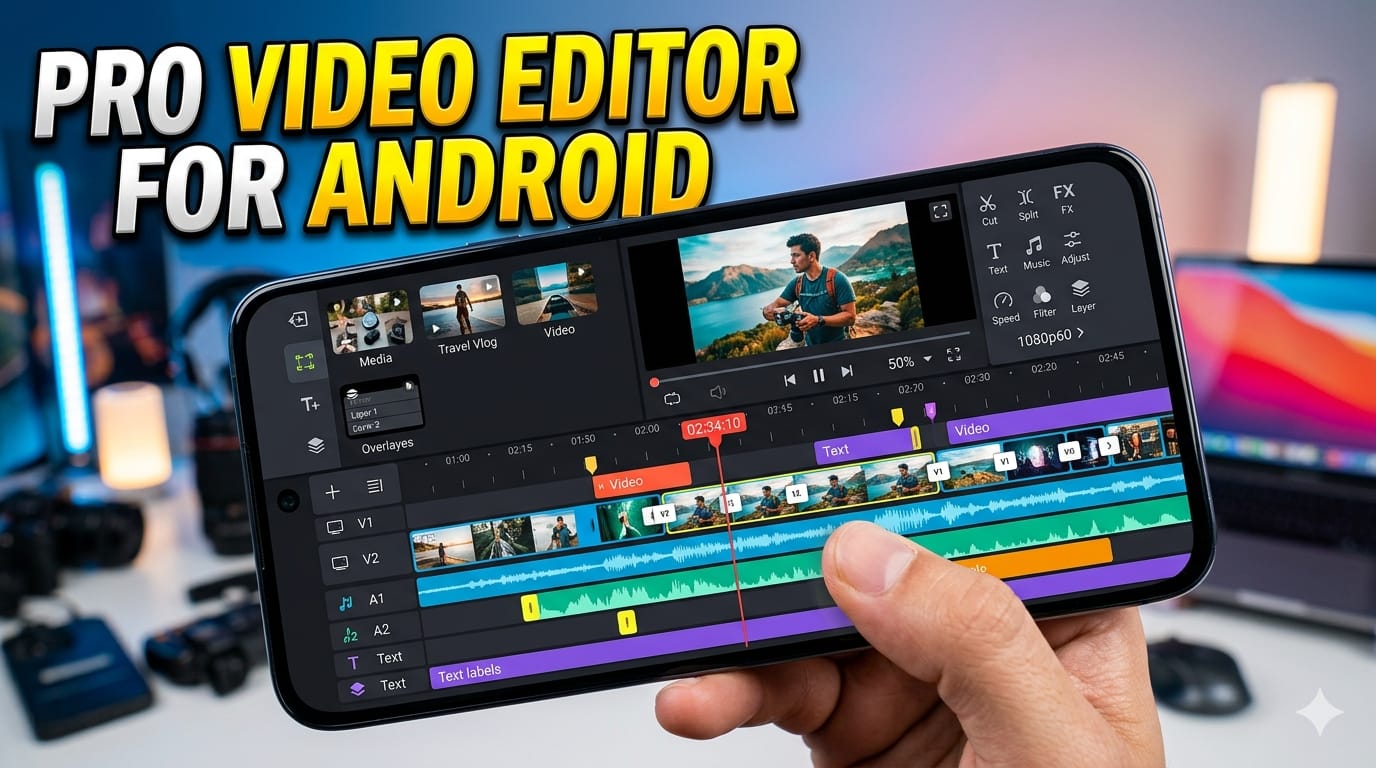

In today’s digital world, video content is everywhere—from social media platforms to YouTube channels and online businesses. If you want to stand out, you need high-quality video editing tools right in your pocket. That’s where a Pro Video Editor for Android comes in.
Whether you’re a beginner or an experienced creator, Android video editing apps have evolved significantly. They now offer powerful features once limited to desktop software. In this complete guide, we’ll explore everything you need to know about choosing and using the best Pro Video Editor for Android, along with tips, features, and real-world examples.
Why You Need a Pro Video Editor for Android
The Rise of Mobile Content Creation
With the increasing popularity of platforms like TikTok, Instagram Reels, and YouTube Shorts, mobile video editing has become essential. People prefer quick, high-quality edits directly from their phones instead of using bulky desktop software.
A Pro Video Editor for Android allows you to:
- Edit videos anytime, anywhere
- Save time and effort
- Create professional content without expensive tools
Benefits of Using a Pro Video Editor
1. Professional-Level Features
Modern Android video editors offer:
- Multi-layer editing
- Advanced transitions
- Color grading tools
- Audio editing features
2. User-Friendly Interface
Even beginners can easily navigate these apps due to:
- Drag-and-drop timelines
- Pre-made templates
- Easy export options
3. Cost-Effective Solution
Many apps are free or offer affordable premium plans compared to desktop software.
Key Features of a Pro Video Editor for Android
When choosing the best app, you should focus on these essential features:
1. Multi-Layer Timeline Editing
This allows you to:
- Add multiple video clips
- Overlay text, images, and effects
- Create complex edits easily
2. Advanced Effects and Transitions
A professional editor includes:
- Smooth transitions
- Cinematic filters
- Motion effects
3. Audio Editing Tools
Audio is just as important as video. Look for:
- Background music integration
- Voice-over recording
- Noise reduction
4. High-Quality Export Options
A good Pro Video Editor for Android should support:
- 1080p and 4K exports
- Multiple formats
- Fast rendering
5. AI-Powered Tools
Many modern apps now include:
- Auto subtitles
- Scene detection
- Smart trimming
Best Pro Video Editor for Android in 2026
Here are some of the top apps you should consider:
1. KineMaster
Why It’s Popular
- Multi-layer editing
- Real-time preview
- Advanced blending modes
Best For
Content creators and YouTubers.
2. PowerDirector
Key Features
- AI tools for editing
- 4K export support
- Motion tracking
Best For
Professional-level editing on mobile.
3. CapCut
What Makes It Special
- Free to use
- Trending effects
- Easy-to-use interface
Best For
Social media creators.
4. VN Video Editor
Highlights
- No watermark
- Smooth timeline editing
- Advanced filters
Best For
Beginners and intermediate users.
5. Adobe Premiere Rush
Top Features
- Cross-platform support
- Cloud sync
- Professional templates
Best For
Users who want desktop-like experience on Android.
How to Choose the Right Pro Video Editor for Android
1. Identify Your Needs
Ask yourself:
- Are you editing for social media?
- Do you need professional features?
- Are you a beginner or expert?
2. Check Performance
Make sure the app:
- Runs smoothly on your device
- Doesn’t lag or crash
- Supports your Android version
3. Compare Free vs Paid Versions
Some apps offer:
- Free features with watermark
- Premium features without ads
Choose based on your budget.
Step-by-Step Guide: How to Edit Videos Like a Pro
Step 1: Import Your Clips
Start by:
- Selecting your video clips
- Organizing them in the timeline
Step 2: Trim and Cut
Remove unnecessary parts:
- Cut unwanted scenes
- Keep your video engaging
Step 3: Add Transitions
Use transitions to:
- Smooth scene changes
- Improve visual flow
Step 4: Apply Effects and Filters
Enhance your video by:
- Adjusting brightness and contrast
- Using cinematic filters
Step 5: Add Music and Sound Effects
Choose audio that:
- Matches your content
- Improves viewer engagement
Step 6: Export in High Quality
Always export in:
- 1080p or 4K
- High bitrate for better quality
Tips to Get the Best Results
1. Keep It Simple
Avoid over-editing. Clean and simple videos perform better.
2. Focus on Storytelling
Your content should:
- Have a clear beginning, middle, and end
- Engage viewers emotionally
3. Use High-Quality Footage
Better input = better output.
4. Optimize for Social Media
Adjust:
- Aspect ratio (9:16 for reels)
- Video length
- Captions and subtitles
Common Mistakes to Avoid
1. Overusing Effects
Too many effects can make your video look unprofessional.
2. Ignoring Audio Quality
Bad audio can ruin even the best visuals.
3. Exporting in Low Quality
Always choose high resolution for better results.
4. Not Saving Projects
Always save your work to avoid losing progress.
SEO Benefits of Using a Pro Video Editor for Android
1. Improved Engagement
High-quality videos:
- Increase watch time
- Reduce bounce rate
2. Better Social Media Reach
Well-edited videos:
- Get more shares
- Go viral faster
3. Boost Website Traffic
Embedding videos on your site can:
- Improve SEO rankings
- Increase user interaction
Future Trends in Android Video Editing
1. AI-Based Editing
AI will:
- Automate editing tasks
- Suggest improvements
2. Cloud-Based Editing
You’ll be able to:
- Edit from multiple devices
- Store projects online
3. AR and VR Integration
Next-gen editors will include:
- Augmented reality effects
- Immersive video experiences
Conclusion
Choosing the right Pro Video Editor for Android can completely transform your content creation journey. With powerful features, user-friendly interfaces, and advanced tools, you can now edit professional-quality videos directly from your smartphone.
Whether you’re a beginner learning the basics or a creator aiming for viral content, the right video editing app will help you achieve your goals faster and more efficiently.
Start exploring different apps, practice regularly, and apply the tips shared in this guide. With consistency and creativity, you can produce stunning videos that capture attention and grow your audience.