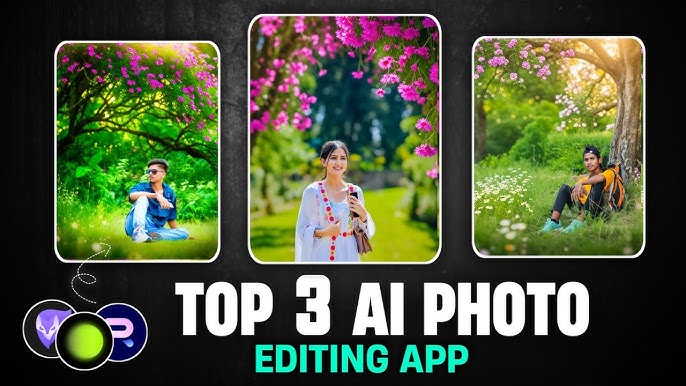

In 2026, AI technology has revolutionized how we edit photos on our Android devices. Whether you’re a professional photographer or just love capturing moments, AI-powered photo editing apps can transform ordinary pictures into stunning visuals with just a few taps. If you’re looking to elevate your photography game, this guide covers the top AI photo editing apps for Android you should try in 2026, highlighting their features, usability, and why they stand out.
Why AI Photo Editing Apps Are a Game-Changer
Traditional photo editing required patience, skills, and often expensive software. However, AI photo editing apps for Android automate complex tasks like background removal, color correction, and object enhancement. They save time while producing professional-grade results. With machine learning algorithms, these apps understand the content of your photos, detect faces, adjust lighting, and even suggest aesthetic improvements, making editing accessible to everyone.
Some benefits include:
- Time-saving: AI automates repetitive editing tasks.
- Enhanced creativity: Suggests filters, effects, and edits based on your photo content.
- Professional results: Even beginners can achieve stunning outputs.
- User-friendly: Intuitive interfaces that make editing simple.
In 2026, AI photo editors for Android are smarter than ever, offering features once exclusive to desktop software. Let’s dive into the best apps that can revolutionize your photography.
1. Luminar AI Mobile
Luminar AI has long been celebrated for desktop editing, and now its Android version is making waves. It uses AI to analyze your photos and apply enhancements automatically. Key features include:
- Sky Replacement: Change dull skies with dramatic or dreamy alternatives.
- Skin & Portrait Enhancer: Smooth skin, remove blemishes, and brighten eyes.
- Composition AI: Suggests cropping and adjustments to enhance framing.
For anyone looking to save time while producing professional-quality edits, Luminar AI Mobile is one of the top AI photo editing apps for Android you should try in 2026.
2. Adobe Photoshop Express
Adobe has adapted its flagship software for mobile users, integrating AI features into Photoshop Express. Its AI-driven tools simplify complex edits:
- Auto Tone & Smart Filters: Adjust lighting and colors automatically.
- Content-Aware Removal: Remove unwanted objects seamlessly.
- Face Aware Editing: Perfect for selfies, adjusting eyes, lips, and skin tone.
Thanks to its AI capabilities, Photoshop Express remains a go-to option for photographers seeking precision and speed.
3. Snapseed
Owned by Google, Snapseed combines simplicity with advanced AI editing. Its “Portrait” and “HDR Scape” tools automatically enhance details and textures. Features include:
- Selective Editing: Adjust specific areas using AI detection.
- Healing Tool: Remove objects or blemishes effortlessly.
- Automatic Enhancement: Optimizes colors, brightness, and contrast.
Snapseed’s intuitive interface makes it perfect for beginners and pros alike, solidifying its place among the top AI photo editing apps for Android you should try in 2026.
4. PicsArt Photo Editor
PicsArt is more than an editor; it’s a creative suite powered by AI. Popular among social media enthusiasts, it offers:
- AI Background Remover: Instantly isolate subjects from backgrounds.
- Magic Effects: Transform photos into artistic creations.
- AI Templates: Auto-generate collages, posters, and designs.
With a thriving online community and AI tools designed for fun and creativity, PicsArt remains a favorite for casual and professional users alike.
5. Remini – AI Photo Enhancer
Remini specializes in restoring and enhancing old or low-resolution photos. Its AI algorithms reconstruct details with astonishing accuracy:
- Photo Enhancement: Turn blurry images into sharp, high-quality photos.
- Old Photo Restoration: Revive vintage family photos with AI clarity.
- Video Enhancement: Improve old video clips using similar AI tools.
If you want to revive old memories or enhance low-quality captures, Remini is one of the top AI photo editing apps for Android you should try in 2026.
6. Prisma Photo Editor
Prisma transforms photos into artwork using AI-powered filters inspired by famous artists. Features include:
- Artistic Filters: Turn ordinary photos into styles resembling Picasso or Van Gogh.
- AI Cartoon Effects: Cartoonize your images in seconds.
- Real-Time Editing: Apply effects while capturing photos.
For creative expression, Prisma remains unmatched, making it a must-try AI photo editor in 2026.
7. AirBrush – Easy Photo Editor
AirBrush is a selfie-focused AI photo editor designed for flawless results:
- Skin Smoothing & Acne Removal: Automatic facial enhancements.
- Brighten Eyes & Teeth: AI detects facial features for precise adjustments.
- Bokeh Background: Simulate professional camera effects with AI.
AirBrush is ideal for social media enthusiasts looking to create polished images quickly.
8. LightX Photo Editor
LightX combines AI automation with manual control, catering to both beginners and advanced users:
- AI Cutout Tool: Remove or replace backgrounds seamlessly.
- Color Splash & Mix: Artistic color effects powered by AI suggestions.
- Advanced Filters: AI recommends the best filters based on photo content.
Its versatility and AI integration make LightX one of the top AI photo editing apps for Android you should try in 2026.
How to Choose the Right AI Photo Editing App
With so many options, selecting the perfect AI photo editor can be overwhelming. Here’s what to consider:
- Purpose: Do you want professional editing, social media enhancements, or creative effects?
- Ease of Use: Beginners may prefer apps like Snapseed or AirBrush.
- AI Features: Check if the AI features match your editing needs—e.g., background removal, auto-enhancement, or artistic filters.
- Performance: Ensure the app runs smoothly on your Android device without lag.
- Pricing: Some apps are free with in-app purchases, while others require subscriptions for advanced AI features.
Tips for Using AI Photo Editing Apps Effectively
AI is powerful, but understanding how to leverage it ensures better results:
- Start with Auto-Enhancements: Let AI make initial adjustments, then tweak manually.
- Use Layers or History Features: Retain flexibility in editing and avoid destructive edits.
- Experiment with Filters: AI often suggests styles, but personal tweaks can enhance uniqueness.
- Keep Original Files: Always preserve originals for backup or future edits.
- Combine Apps: Use multiple AI editors to achieve the best effects. For instance, enhance a photo in Remini and apply artistic filters in Prisma.
Future of AI Photo Editing on Android
By 2026, AI photo editing apps are expected to become even more intuitive:
- AI-Powered Video Editing: Many apps will integrate photo and video AI editing tools.
- Real-Time AI Effects: AI will analyze live camera input for instant enhancements.
- Smart Templates: AI will automatically generate collages, posts, and marketing visuals.
- Voice-Controlled Editing: Future apps might allow edits via simple voice commands.
The future is promising, making AI photo editing apps not just a trend, but a necessity for Android users.
Conclusion
In conclusion, 2026 offers a remarkable lineup of AI photo editing apps for Android, each designed to save time, enhance creativity, and produce professional-quality results. Whether you want to restore old photos with Remini, create artwork with Prisma, or edit selfies flawlessly with AirBrush, there’s an AI app tailored to your needs.
To recap, the top AI photo editing apps for Android you should try in 2026 include:
- Luminar AI Mobile
- Adobe Photoshop Express
- Snapseed
- PicsArt Photo Editor
- Remini – AI Photo Enhancer
- Prisma Photo Editor
- AirBrush – Easy Photo Editor
- LightX Photo Editor
With these tools in your arsenal, your Android photography game is set to reach new heights. Don’t wait—explore these apps and let AI bring your photos to life in 2026.